Track capital gains on
UK shares and crypto
Import your trades to calculate gains and losses using HMRC’s same-day, 30-day and Section 104 matching rules. Track your annual exemption and prepare working papers for your tax return.
Free to use. Trades stay in this browser until you create an account.
Gainly does not calculate tax due or submit returns to HMRC.
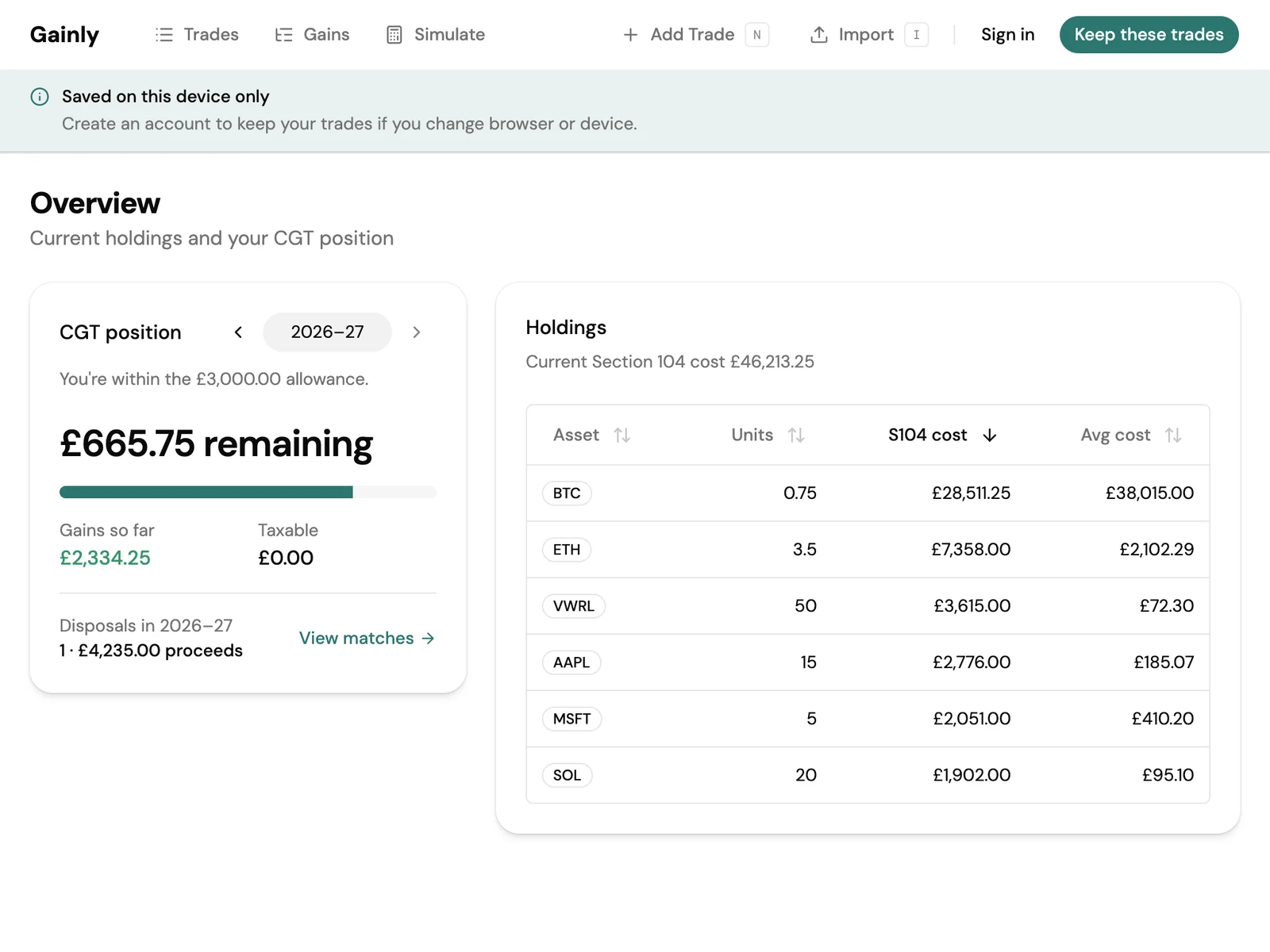
Track trades, match disposals and review gains
Import share and crypto trades
Import a CSV or add them by hand. Categories, notes, and spouse transfers.
Match disposals using HMRC rules
Same-day, 30-day bed and breakfast, then Section 104 pooling. The same identification rules for shares and cryptoassets.
Track your annual CGT exemption
See how much of the annual exemption is used and your taxable gain for each disposal’s tax year.
Simulate a sale
Explore a sale at a price you type, using your Section 104 average cost against this tax year’s gains and exemption.
How HMRC share and crypto matching works
HMRC’s share identification rules also apply to cryptoassets. Gainly applies them in order.
- 1
Same-day
Buys on the same day as the sale are matched first.
- 2
30-day
Then buys in the 30 days after the sale.
- 3
Section 104
Then the average-cost pool for what remains.
After matching, Gainly applies the annual exemption for the disposal’s tax year to show taxable gain.
Spouse transfers are recorded separately as no gain / no loss, with the transferred units and their cost leaving the pool.
A Section 104 capital gains example
You hold 200 shares with a total pool cost of £3,000: an average cost of £15 per share. You sell 50 shares for £25 each, with no fees and no purchases of the same shares on the sale date or in the next 30 days.
- Sale proceeds
- £1,250
- 50 × £25
- Allowable cost
- £750
- 50 × £15
- Capital gain
- £500
- £1,250 − £750
This gain is before losses and the annual exemption. It is not tax due.
Compared with doing it yourself
Compare keeping your own spreadsheet, using Gainly and working with an accountant. You or your accountant file the return.
| Compared on | Do it yourself | Gainly | Hire an accountant |
|---|---|---|---|
| Cost | No fee. It takes your time. | Free | You pay their fee |
| What you produce | Your own spreadsheet | A working paper: proceeds, allowable cost, gain, and taxable gain after the annual exemption | Advice, a return, and the tax due |
| Matching | You apply same-day, 30-day, and Section 104 yourself | Applied in that order, for shares and cryptoassets | Applied, plus judgment on cases the rules do not settle cleanly |
| Annual exemption | You apply the year’s exemption | Applied to the tax year of the sell date | Applied, with the rest of the return |
| Tax due | You work it out if you need it | Not computed | Computed and explained |
| Spouse transfers | You take units out with no gain | No gain / no loss. Units leave the Section 104 pool | Handled with the rest of the return |
| A hypothetical sale | You model it | Units × Section 104 average, this tax year only | A conversation about what to sell |
| Where the trades live | Your file | This browser until you create a free account | Their records |
| Filing the return | You file | You file. Gainly does not submit to HMRC | They can file for you |
Questions about tracking UK capital gains
Does Gainly calculate the tax I owe?
Will it file my Self Assessment?
Does it cover crypto and shares?
What is Section 104 pooling?
How does the 30-day rule affect capital gains?
What trade history do I need to import?
Can I track gains across different UK tax years?
What records can I export for my accountant?
What happens to trades before I create an account?
What is Simulate?
Do I still need an accountant?
Understand your capital gains
Practical guides to the rules, with worked examples and HMRC sources.
- Section 104 pooling for shares and crypto
Bought the same investment at several prices? A Section 104 pool keeps its units and allowable cost together, so you can work out the cost of a later disposal.
- The 30-day rule for shares and crypto
Buying an asset back soon after selling it can change the gain on the sale. The later purchase may supply the allowable cost before your existing Section 104 pool is used.
- Preparing share and crypto trade records
Reliable gains start with a complete history. Gather the transactions that establish your costs, then check them before importing or sharing records with an accountant.
- Understanding capital gains and the annual exemption
The amount you receive from a sale is not the same as your gain. Follow the figures from a matched disposal through to a tax-year summary.
Start tracking your capital gains for free
Try it on this device. Create a free account when you want the trades on every browser.